Teleprompter Integration in Screen Recording Tools
Integrated teleprompters let creators deliver scripted demos and lessons without flubbing the steps.
Product demos and course lessons are the worst content to wing. Steps must land in order, every stumble means a retake, and the camera is rolling while the screen is also being captured. There is no safe moment to glance at notes.
The standard workaround makes this worse. A creator runs a prompter on half the screen and a recorder on the other, managing two tools at once. Attention splits at exactly the moment delivery matters most. That split shows up in the work. The prompter window competes with the content being recorded, and any overlap produces a recording that either shows the script or crops the screen awkwardly.
The stakes are higher for this content type than for a casual video message. A lesson that rambles loses learners. A product demo that stumbles undermines the product. So the cost of poor delivery lands directly on the thing being recorded.
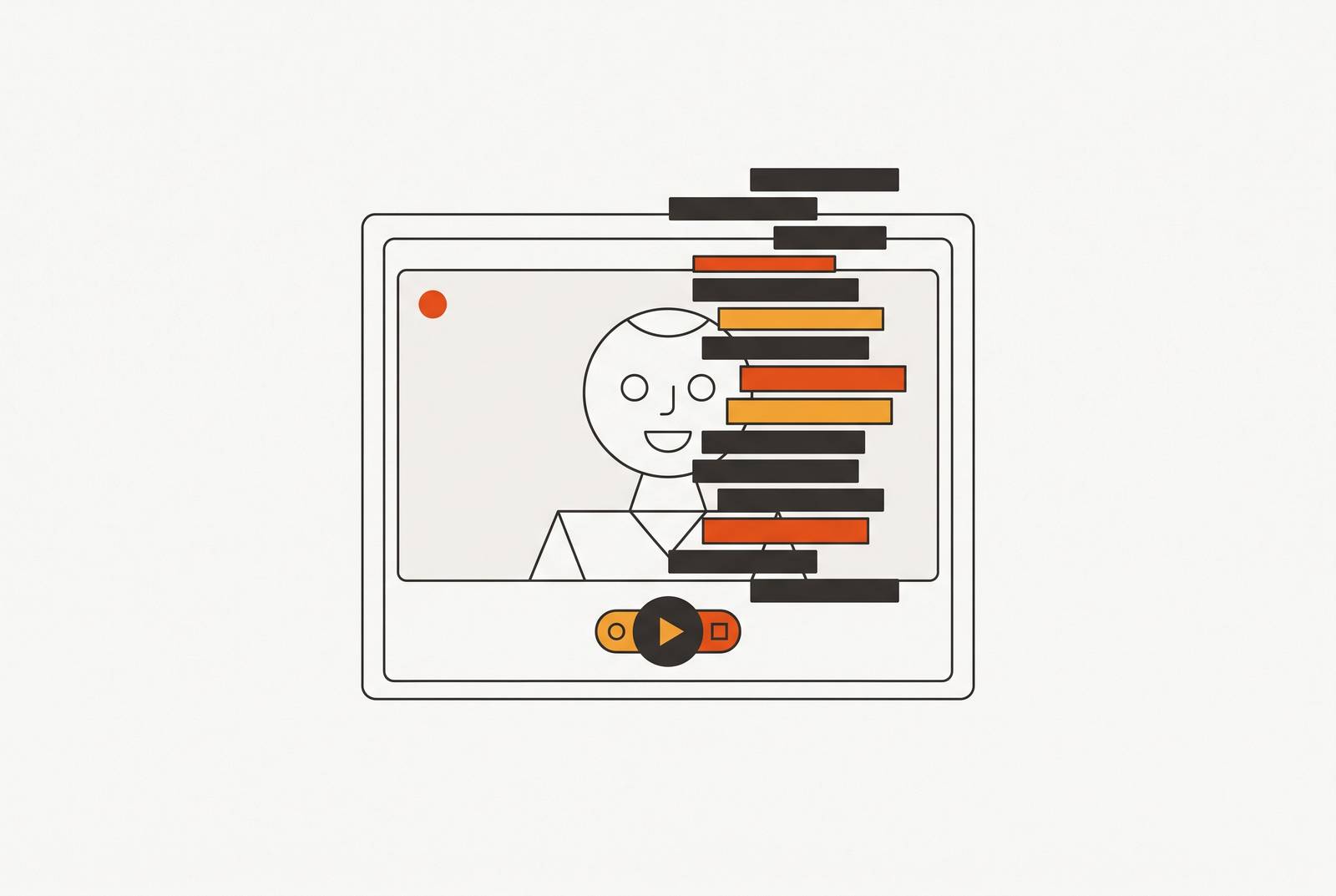
Tella and a handful of other tools address this by putting the teleprompter inside the recorder itself. The script stays visible to the creator and invisible to the viewer. Before looking at how that works, it's worth being clear about what actually changes.
What a teleprompter built into a screen recorder actually changes
Integration means the script is visible to the creator without appearing in the recording. This is what separates a real integrated teleprompter from a prompter app running alongside a recorder. It changes the working experience. It isn't.
What you see during the take is a scrolling script. What the viewer sees is the screen capture or camera feed, with no text overlay. The creator reads while the capture runs in the same session. No window management, no alt-tab, no crop adjustment. Pause, resume, and speed changes happen inside the tool that's already recording, so there's no second interface to switch to mid-take.
The payoff is fewer takes. A precisely worded product walkthrough or course lesson gets recorded the way it was written, because the script is there at every moment without interrupting what's being captured. Tools designed as unified recording-and-editing platforms, such as Tella, can embed prompter features alongside real-time scroll control and AI voice-paced adjustments, making it possible to evaluate the prompter and the recorder as one experience rather than assessing them separately.
AI voice-paced scrolling pushes this further. Instead of setting a words-per-minute speed and then chasing the scroll, the modern approach uses speech recognition to follow the speaker's voice. The text speeds up when you do, slows when you pause, and holds when you go off-script. You read naturally, and the scroll keeps pace with you rather than the other way around.
AI script generation closes the preparation gap too. If you don't have a script yet, you can generate a working draft from keywords, load it into the prompter, and start recording in the same session. What used to be a multi-step prep workflow collapses into one tool.
The features that determine whether an integrated teleprompter is actually usable
Not every tool that calls itself an "integrated teleprompter" delivers the same workflow. The features below separate tools that genuinely change the recording experience from those that add a text overlay as an afterthought. The first test is invisibility. The script must not appear in what the viewer sees. This is non-negotiable for screen recording, where the captured screen and the prompter text would otherwise overlap. A tool that only offers side-by-side display, or that needs a second monitor to hide the script, hasn't solved the integration problem. It has just moved the problem to a second screen.
Scroll speed is the second test. Fixed-speed scrollers create a delivery trap. The speaker rushes to keep up or waits for the text, and the result sounds scripted in the worst way. Adjustable words-per-minute settings are the minimum. AI voice-paced scrolling, which follows the speaker's natural rhythm, is the standard that removes the trade-off between reading and sounding natural. Speed also varies by content type. Instructional content works at a calm teaching pace, but sales demos move faster. A single fixed speed setting isn't neutral. It shapes the genre of the video.
Script position and text size matter for eye contact. If the text sits far from the camera lens, the speaker's gaze drifts and the recording looks evasive. The practical controls that fix this are the ability to drag the text block close to the camera, resize the column, and adjust font size. Small settings, visible results.
Pause-and-resume is the feature that makes a mistake recoverable. A teleprompter that can't pause without stopping the recording forces a restart on any stumble, which defeats the purpose of using a script. Mid-recording pause, with the ability to pick up from wherever you scrolled to, lets a slip become a brief pause instead of a lost take.
Session memory also matters. A prompter that resets text size, scroll speed, and position every session adds friction back into a workflow that integration was supposed to simplify. Settings should persist between sessions. And for screen recorders that also capture webcam, the prompter must work in screen-only, camera-only, and screen-plus-camera modes without forcing you to choose between reading the script and recording the screen.
The thread running through all of this is that the integration matters more than the teleprompter feature in isolation. A great prompter bolted onto a poor recorder still leaves the workflow broken. A competent prompter inside a smooth recorder changes how the whole session feels.
How Tella's built-in teleprompter fits into a full recording and editing workflow
Tella's teleprompter is built as part of a complete recording workflow, not a standalone add-on. The script gets written, the recording runs, and the edit happens inside the same tool, with no export to a separate editor. The prompter itself covers the criteria above point by point. You write a full script and play it back as a continuously scrolling script while recording. The teleprompter stays completely invisible in the final screen recording, so the viewer sees only the captured screen or camera output. The text block can move anywhere on screen and can be resized, with width, text size, and playback speed all adjustable. Play and pause work mid-recording, and you can pick up from wherever you scrolled to, so a stumble doesn't require a restart. Notes height, text size, and speed are remembered between sessions, so the setup friction is a one-time cost. The teleprompter is available on both Mac and Windows apps.
What sets the integrated model apart is how the prompter connects to the rest of the workflow. Tella captures screen, camera, and system audio together, so a product demo with a talking-head camera and teleprompter-delivered narration is one session, not two recordings stitched together. After recording, editing happens in the same tool: trim clips, add effects, generate subtitles and transcripts, and share or download. There's no rendering lag either, so the video is shareable the moment the session ends.
The use cases line up with the article's original problem. For product demos, scripted delivery means every feature gets covered in order, in the right words, without retakes, and the invisible prompter keeps the demoed screen uncluttered. For course lessons and walkthroughs, educators can record a structured lesson and never forget a talking point mid-segment. The prompter handles the structure problem that causes rambling and viewer drop-off. For async video messages, you get a scripted, polished delivery in one take and share it instantly.
How other integrated and semi-integrated tools handle the same workflow
Each of the tools below takes a different approach to combining a teleprompter with recording. The differences reflect genuine trade-offs in the integration model, not just feature gaps. GhostPrompter, available on Windows and Mac, is designed for desktop creators recording tutorials, screen shares, and online courses. It functions as an overlay that stays visible over a screen share without appearing to viewers. Its strengths are multi-monitor support, script management suited to long-form content, and a focus on tutorial and online course production. The gap is that it doesn't include a built-in recorder, though it does have a built-in script editor. You still record in a separate tool, so this is a strong prompter that complements a recorder rather than replacing the split-tool workflow.
Dadan is a browser-native platform with a teleprompter that feeds directly into recording. It handles screen-only, webcam-only, or both simultaneously at high resolution and frame rate, with no watermark on any plan. Its AI Script Generator turns keywords into a working draft loaded directly into the prompter for immediate recording, so preparation and recording happen in one session. The limitation is that offline recording needs the desktop app, since the browser extension requires an internet connection.
BIGVU, available on iOS, Android, and web, integrates teleprompter, webcam recording, AI eye contact correction, captions, and publishing in one platform. The workflow is designed so footage never moves into disconnected tools for post-production. It's strongest for mobile video creation and for creators who mainly record talking-head video, not screen captures.
Speakflow, available on web, Mac, Windows, iPhone, and iPad, uses AI voice tracking to scroll the script to match the speaker's natural pace. It requires no WPM setting, which produces more natural delivery because the speaker is never rushing or waiting. Pricing runs from a free plan to Plus at $15 per month billed yearly, with a Studio tier above that, also billed yearly.
Kapwing is browser-based and offers an online teleprompter with a built-in webcam recorder. The script sits alongside a recording interface, and you can reposition the teleprompter with click-and-drag to keep it near the camera lens. After recording, a built-in video editor handles trimming, captions, background noise removal, and AI eye contact correction, so post-production stays inside the same tool. It works on Mac, PC, and laptops without installation. Teleprompter-Scrolling Scripts, available on iPhone, iPad, Mac, and browser, rounds out the field of options that combine scrolling scripts with recording in various configurations.
The scripting decisions that determine whether teleprompter delivery sounds natural
A well-integrated teleprompter removes tool friction, but it can't fix a script written to be read rather than spoken. The "robotic delivery" complaint is almost always a script problem, not a prompter problem. Write for the ear, not the eye. Short sentences beat long ones. When a line is too long, the speaker focuses on chasing the text and loses natural inflection. When the line is compact, the speaker absorbs the thought and delivers it more like speech. Use contractions, plain vocabulary, and the way the presenter actually talks. The teleprompter should sound like a confident version of the presenter, not a formal document being read aloud.
Script length and scroll speed interact. For instructional content, aim for a calm teaching pace, and slow down further when the material is dense or technical. Sales demos and social content move faster. Calibrate the scroll speed to the genre you're recording rather than leaving it at a default. The speed setting isn't neutral. It sets the tone of the finished video.
Line breaks are delivery cues. Where a line breaks in the script determines where the speaker pauses. Formatting the script with deliberate breaks at natural breath points controls pacing without slowing the scroll. It's the cheapest pacing tool available, and the most underused.
AI script generation is a shortcut with a limit. A generated draft from keywords gets you to a working draft quickly, but the draft still needs to be read aloud and edited for the speaker's own voice and rhythm before recording. Use a generated draft without revision, and you get robotic-sounding delivery, even on the best integrated platform. The tool and the script form a system. Integration removes friction from the recording, but the script determines whether the recording is worth sharing.
When to use the integrated teleprompter and when a different approach fits better
The integrated teleprompter model fits content where word precision, step order, and consistent delivery matter. That covers product demos, course lessons, customer-facing walkthroughs, and executive communications where human presence carries the message. Product demos are the strongest case. Every feature must be named correctly and in the right sequence. A missed step is a credibility problem, not just a take to redo. Course content is similar. Structure determines comprehension, and a lesson that rambles loses learners at the moment the material gets dense. Async video messages that will be watched many times or shared widely also reward the investment in a scripted, polished take. And any recording where the creator can't memorize the material and can't afford to stumble visibly calls for a teleprompter. Scripted delivery is the professional solution, and it doesn't require a second take.
Other cases call for a different approach. Highly modular, process-documentation content can be handled by AI tools that capture a workflow automatically and produce a finished video and a written help article at once. The trade-off is that automated voiceover replaces human presence. Casual, conversational async updates don't need a teleprompter either. A short video message to a teammate benefits from sounding off-the-cuff, and scripted delivery would sound over-produced.
One point worth settling: teleprompter use and AI eye contact correction are not competing choices. Practitioners use both. The teleprompter handles delivery during recording, and AI eye contact correction handles gaze in post when the reading position pulled the speaker's eyes away from the lens.
The decision rule is simple. If the content has a required order, required wording, and an audience that will judge the creator's credibility by the delivery, use the integrated teleprompter. If the content is conversational, modular, or generated from an existing document or process, the teleprompter may be more structure than the workflow needs.